
By Clint Sanchez · Published · Updated · 6 min read
Quick answer
A website redesign keeps its SEO rankings when the work is planned before design starts: audit current keywords and record them in a sheet, identify the pages that bring organic traffic and keep their URLs, map the site architecture and inbound links, build a 301 redirect plan for every changed permalink, update robots.txt, publish a fresh XML sitemap, and set up Google Search Console to watch for errors after launch.
Key takeaways
- Done correctly, a redesign will not hurt rankings, and if the designer knows SEO, rankings should improve.
- Use Ahrefs or SEMrush to list every term the site ranks for and the page each one lands on, then record it in a sheet as the benchmark.
- Google Search Console and Google Analytics show which pages bring organic traffic; keep those pages and their permalink structure.
- Backlinko defines website architecture as how pages are structured and linked so users and crawlers can find what they need.
- A 301 redirect passes between 90 and 99 percent of link equity to the new page, which is why every changed URL needs one.
- Robots.txt tells search engines which pages not to index and must be updated to match the new site; an XML sitemap tells them which pages to index.
- Next to the redirect plan, setting up Google Search Console is the most critical step.
BlakSheep Creative's own site rebuild carried more than a thousand indexed URLs, most of them pages for services in Baton Rouge, Denham Springs, and the surrounding parishes that took years to rank. Every one of those permalinks got a redirect before launch, because a Livingston Parish business losing its local rankings in a redesign has no easy way to get them back.

Want this handled instead of DIY?
A 15-minute call, no script, no pressure. You leave with a plan either way.
So, you’ve decided that it’s time for a website redesign. Maybe you made the common mistake of having a family member create your website. Maybe the old site is outdated, or perhaps you have rebranded and want your website to reflect your new brand.
Not sure if you need a website redesign? Here are some 10 signs that you may need a redesign.
A fresh new website is an exciting endeavor for any business. A well-planned-out redesign creates the potential to bring your small business increased traffic, resulting in new sales leads.
It can improve your branding and user experience, but while you’re turning your frog into a prince, you need to consider how to keep your hard-earned SEO rankings during the process.
Analyze your SEO Strategy BEFORE redesigning your website.
Think about it: what if your site is already ranking high in the search engine rankings?
Want this handled for you? We build and market websites for Louisiana businesses, and we will tell you honestly if you do not need us.
What if you’re dominating your competition on Google for those keywords, phrases, and terms that are important to your business.
If you start redesigning your website, will it hurt your hard-earned search rankings?
The good news is that if you do it correctly, redesigning your website won’t hurt your rankings at all.
Honestly, if your web designer knows a little about SEO, they should increase.
How to Maintain Your SEO Rankings
So, what’s the best strategy to maintain your organic search engine rankings during a website redesign?
We’re glad you asked.
Design with SEO in mind. Create a fresh new website that both your visitors and search engines will love!
If you take the following steps, you can have a smooth website redesign without losing valuable traffic.
Perform SEO audits to understand your current keywords fully:
Analyze your website on both a site level and on a page level. You can even get a free audit of your existing site below:
Are you already ranking well and getting quality traffic? If so, you’ve probably got an understanding of the phrases that searchers are using to find you.
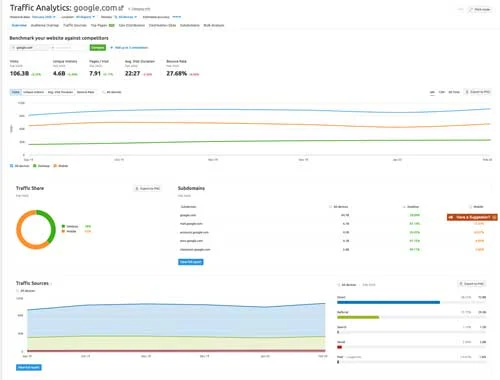
You can use an online rank checker such as Ahrefs or SEMRush to see all of the terms you rank for and which pages they lead visitors to.
Create an Excel Spreadsheet or a Google Sheet that contains the date, phrases, pages, and ranking of each web page on your site.
This sheet will provide you with a benchmark to compare to after your update is complete.
Follow this guide, and this sheet will show improvements.
Analyze what pages are currently bringing your site traffic:
Open up Google Search Console (or Google Analytics – both are free) and get an idea of which pages are getting the most organic traffic.
Pay special attention to make sure that your new site includes these high-performing pages. Look at the key phrases that brought visitors to these pages.
Make every attempt to keep the same URL permalink structure.
Consider content optimization – reusing old content but making it better for SEO. Repurposing content is an easy part of any content marketing strategy.
Learn more about content marketing and why it’s important.
Done correctly, a redesign will not hurt rankings, and if the designer knows SEO, rankings should improve.
Analyze your site’s architecture:
“Website Architecture is how a website’s pages are structured and linked together. An ideal Website Architecture helps users and search engine crawlers easily find what they’re looking for on a website.” (Source: Backlinko)
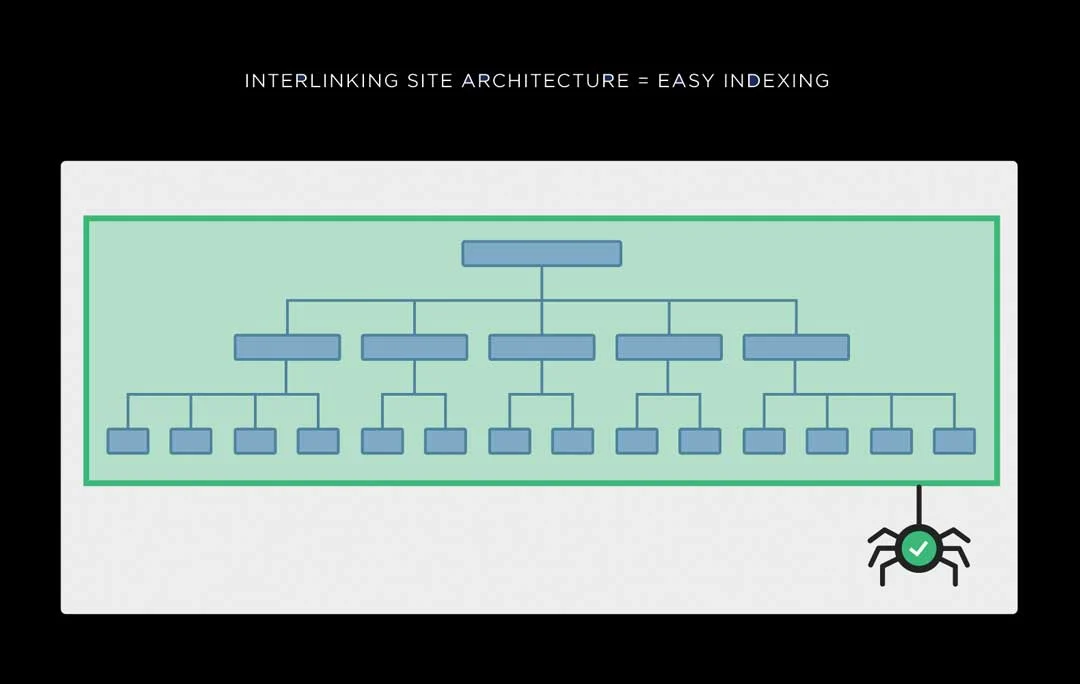
When redesigning a website (especially if you’re trying to improve your old one), your URL structure will probably change slightly.
We can’t stress this enough: Google hates broken links!
When the permalink (slug) of a page is changed, create a 301 redirect to avoid a 404 error.
More on that later.
Just know that if you don’t let search engines know where your page moved to, you’ll destroy any SEO momentum you gained. It’s as though those pages didn’t exist.
Site structure is important!
Analyze Your Inbound Links:
Just like your internal linking strategy from page to page ON your website, inbound links TO your website should be analyzed.
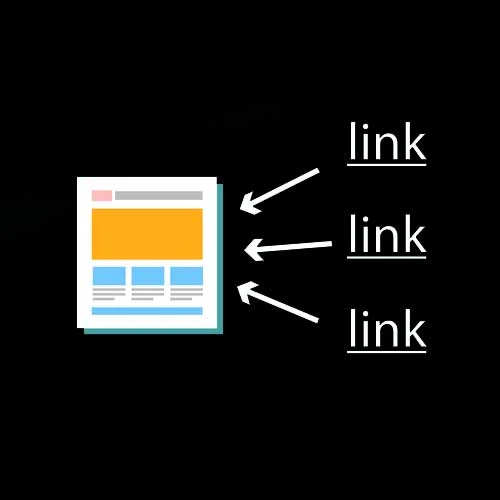
Inbound links are links from one webpage to another.
These inbound links are critical because, if they’re coming from an external page, they push “link juice” from the outgoing site to the incoming site.
When a page links to you, it’s as though they’re vouching for you. Google and other search engines love that!
If your site redesign changes your permalink structure, fails to migrate your essential pages, or doesn’t redirect pages correctly, you’ll lose the opportunity to seize that “juice,” losing your inbound link value AND your incoming traffic.
You can use the same tools we mentioned earlier to conduct an inbound link analysis (backlink analysis) and see what sites are linking to you.
You can learn about more free digital marketing tools on our blog.
Create a 301 Redirect Plan
Now that you’ve analyzed your pages and know which are receiving the most traffic and inbound links, you can create an effective 301 redirect plan.
A 301 redirect (or 301 Moved Permanently) redirect is a permanent redirect that passes between 90-99% of link equity (ranking power) to the redirected page. 301 refers to the HTTP status code for this type of redirect.
Although there are other types of redirects, In most instances, the 301 redirect is the best method for implementing redirects on a website.
We can’t stress this enough. Properly redirecting old pages to their new “homes” using 301 redirects is a critical step in any site migration to maintain your SEO power. If you fail to do this, your rankings will suffer.
“We have used Black Sheep Creative for all of website and SEO needs and have been absolutely blown away with their response and dedication to creating high quality products and helping translate that into a strong ROI for us. Thank you to Blacksheep Creative”

Update Your Robots.txt File
Several things may change when migrating to a new site, such as your login area, shopping cart, and content management system (CMS).
Your robots.txt file lets search engines know which pages to NOT index and should be updated to match your new site and permalink structure.
Create an Updated Sitemap
Just like telling the search engine’s spiders what pages they should not index and follow, you should tell them which pages TO index and follow.
Create an XML sitemap to help search engine spiders find your pages as quickly and efficiently as possible. (this is called maximizing your crawl budget).
Most content management systems (CMS), such as WordPress, have scores of plugins that you can use to create a sitemap.
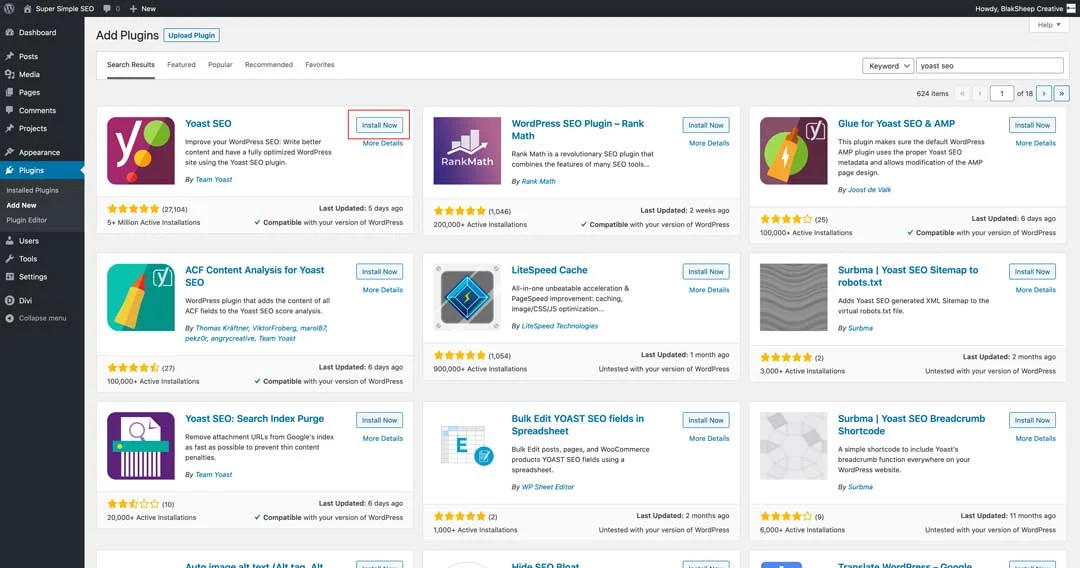
We often tell our clients to use Yoast SEO to do just that, but any knowledgeable web development company can take care of your sitemap for you.
Learn how to install Yoast and other Super Easy SEO for Small Business Websites.
Set up Google Search Console
Next to your redirect plan, setting up Google Search Console (GSC) is the most critical step.
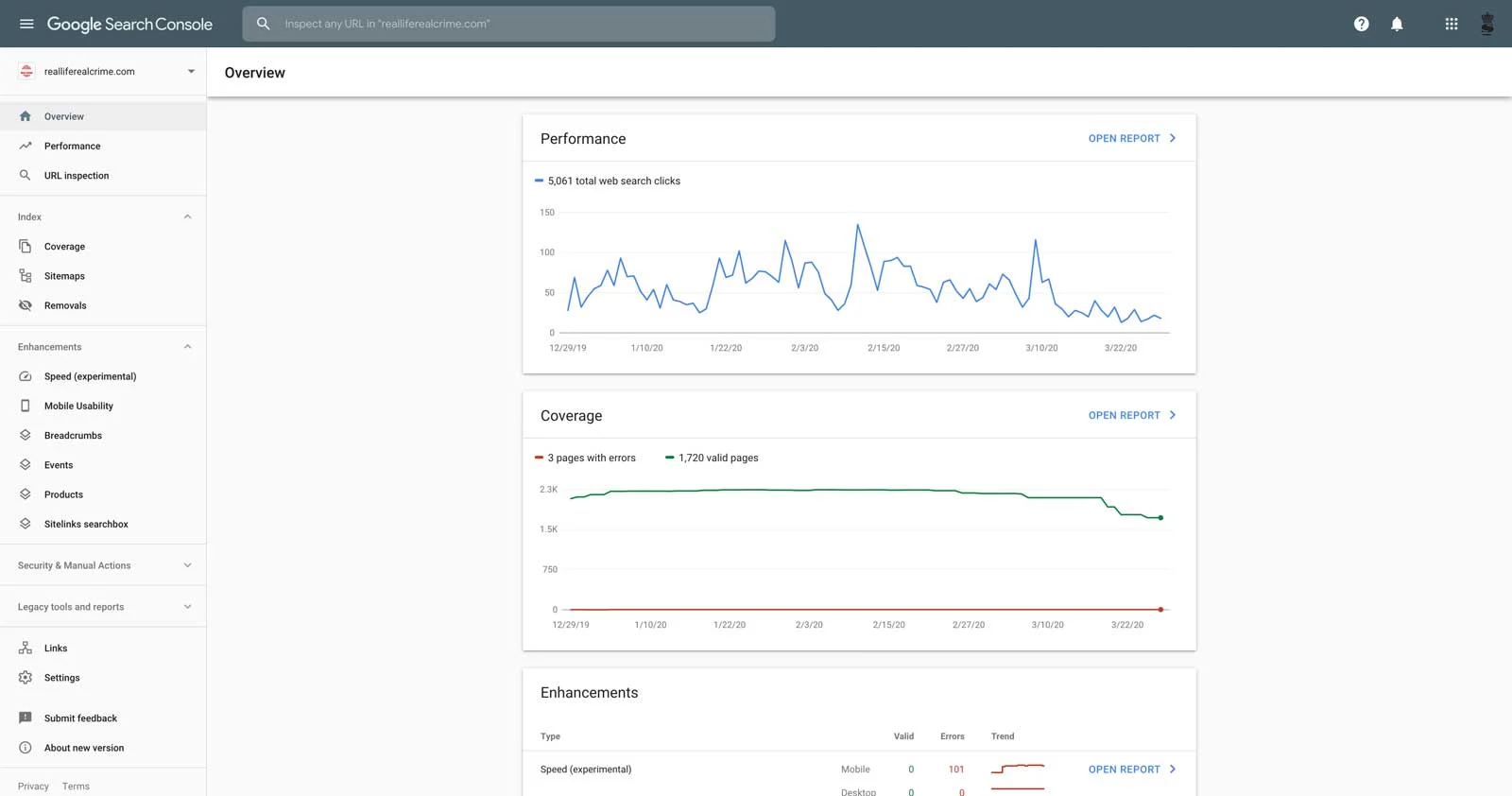
Google Search Console (formerly known as Google Search Console) provides excellent insights to your website’s visitors, including how they found you, what keywords they used, technical errors on your site, and more.
Bing also has their version of webmaster tools, so don’t overlook them either.
No matter which (hopefully both) of the webmaster tools you use, you’ll have to verify ownership of your domain, usually done by inserting code into your site’s header.
GSC is also a great tool to use post-launch, as it lets you know all sorts of data, trends, ranking improvements (and decreases), mobile useability issues.
Set up GSC! We can’t stress it enough.
Data is what separates BlakSheep Creative from all of the other SEO agencies in Baton Rouge.
We continuously analyze our clients’ data, web traffic, and rankings, adjusting SEO campaigns by finding out what strategies are working and making necessary adjustments.
But we digress.
As you can see, you need to consider plenty of things when redesigning your website. Even worse, there are plenty of things that could go wrong and cause your search engine’s rankings to plummet.
But if you follow this guide and plan correctly, you can redesign your website and maintain (even improve) your SEO.
If you have doubts about performing the redesign and migration on your own, we’re here to help.
About the author

Founder & Lead Developer · Denham Springs, LA
Clint has built and marketed websites for 26 years, since founding BlakSheep Creative in 2000. He is also a 29-year firefighter and a 23-year member of IAFF Local 557, which is where the bias toward plain answers over sales copy comes from.
- Veteran-owned
- Firefighter-owned
- IAFF Local 557
Common Questions About Website Redesigns and SEO
Short answers to the questions that come up most on this topic.
Will redesigning my website hurt my Google rankings?
How do I find out which keywords my site ranks for before a redesign?
What is a 301 redirect and why does it matter in a redesign?
What should change in robots.txt and the sitemap after a redesign?
Why set up Google Search Console before launching a redesign?

Your next step, without the guesswork
No surprises, clear next steps, and a fixed price before anything starts.