
By Clint Sanchez · Published · Updated · 3 min read
Quick answer
To prepare a company website for a natural disaster, back up the site and your files remotely, keep a printed copy, a flash drive, and a cloud copy of hosting details, account numbers, logins, vendor contacts, DNS and cPanel access, and billing information, make sure the site is responsive so customers on phones can reach you, show a tap-to-dial phone number, and prepare a 503 error page with contact details and backup links.
Key takeaways
- Back up website files remotely before a storm; a crashed, damaged, or lost computer takes local copies with it.
- Keep three copies of critical site information: paper, a flash drive, and cloud storage.
- The document should list the host, account numbers, usernames and passwords, vendors and their contacts, DNS and cPanel details, and billing information.
- During an emergency, customers reach you from a phone or tablet, so the site has to be responsive.
- Display the phone number so a single tap dials the business.
- A prepared HTTP 503 page with a status message, email, social accounts, and backup links may be the only contact point if the site goes down.
Hurricane Barry in July 2019 was the trigger for this post, and Livingston Parish has been through Ida in 2021 and the August 2016 flood since. When the power is out in Denham Springs, customers are on phones with low batteries, and the businesses that keep a working site and a tap-to-dial number get the calls for generators, tree removal, roofing, and water damage.
Is your website ready for a natural disaster?
Your business website is your livelihood. It’s where you make your money. With Tropical Storm / Hurricane Barry looming down on South Louisiana, it’s important to minimize the effects on your business. Read how to make sure your website survives the storm or any disaster.
It feels like. Mad Max movie at times. With disasters happening simultaneously, it’s critical to prepare your business and your website. Think about July 2019 alone: there were earthquakes in California and Hurricane Barry is breathing on the Louisiana coast as we type this. From tornadoes, flooding, wildfires, and most recently hurricanes, everyone stays prepared by stocking up on necessary items and disaster-proofing their residence.
But as a business owner, do you know if your website is ready for an emergency? Learn how to make sure that your company’s website survives the worst of storms.
Want this handled for you? We build and market websites for Louisiana businesses, and we will tell you honestly if you do not need us.
Back that thing up.
If your computer were to crash, get damaged from the disaster, or even get lost, your files will most assuredly be gone, deleted, or vanished. Backing up your files remotely should be your first priority for surviving the storm in the event that something happens to your machine.
Have your critical information handy.
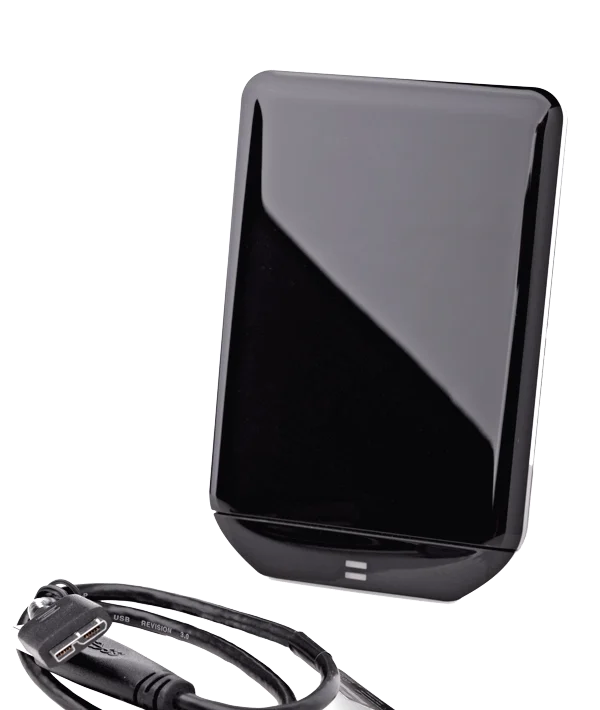
Keep all of the important and necessary information about your website with you. Have a physical copy, a digital copy stored on a flash drive, and another stored on a cloud-based server.
Data redundancy is important to make sure your business survives the storm!
Also prepare a document with all the information about your website:
- Website host information
- Account numbers
- Username and passwords
- List of vendors used and their contact information
- DNS and C-Panel information
- Billing information
Make sure that your website is responsive.
Why do you need a responsive website? During an emergency, your lifeline to the outside world is your phone or your tablet. A responsive website enables customers in the affected area to find you (it’s a must for search engines,) and for you to continue serving them.
Make sure your contact information is visible and easily found
During an emergency, it is critical that your customers can easily contact you. Display your phone number so that a single click on the phone dials for the user.
Have an error page ready.
An HTTP 503 response is a temporary service not available error. It can be due to a technical error or maintenance. In the event that your site goes down during a disaster, this 503 error page could be the only point of contact your customers would have. Create a 503 page that gives customers the information they would need in the event of an emergency such as:
- A message that your site is down or that an error has occurred and that you are working to fix the problem.
- Contact information where customers can learn more or voice their concerns. The page should Include an e-mail and any social media accounts you manage.
- Links to any backup websites
And now for the good news.
As a BlakSheep Creative client (we prefer to call them partners,) we do all of the work for you and make sure that your website is prepared for any disaster, natural or man-made.
We do this by having redundant servers throughout the globe to make sure your downtime (although highly unlikely,) is minimal.
Your data is safe and secure.
We can even handle all of your social media needs and communication needs to assure your customers that your business is just fine and ready to provide your goods and services during these tough times.
Fill out the form below to get your personalized quote.
Thinking about a new website, redesign, or rebuild? Talk through the project before you spend a dollar, 15 minutes, no sales pitch.
About the author

Founder & Lead Developer · Denham Springs, LA
Clint has built and marketed websites for 26 years, since founding BlakSheep Creative in 2000. He is also a 29-year firefighter and a 23-year member of IAFF Local 557, which is where the bias toward plain answers over sales copy comes from.
- Veteran-owned
- Firefighter-owned
- IAFF Local 557
Common questions about web design & development
What information should I keep offline about my website?
What is a 503 error page, and why prepare one?
Why does a responsive website matter during a storm?
Where should website backups be stored?
What should a business tell customers online during a disaster?
Does web hosting affect how a site survives a disaster?
Your next step, without the guesswork
No surprises, clear next steps, and a fixed price before anything starts.