
By Clint Sanchez · Published · Updated · 7 min read
Quick answer
A 404 error is an HTTP status code returned when a requested page cannot be found on the server, usually because it was deleted, moved, or the URL was mistyped. It frustrates visitors and costs sales, and many broken links hurt SEO. Find them with analytics or a crawler such as Screaming Frog, then fix each one by redirecting to a relevant page, recreating the page, correcting the URL, or serving a custom 404 page.
Key takeaways
- A 404 means the page was not found; common causes are deleted pages, moved pages, and mistyped URLs.
- A customer who hits a 404 mid-purchase, or a homeowner with a flooding house looking for a plumber, usually leaves for a competitor.
- Individual 404 pages are normal and do not directly lower rankings, since search engines do not index them.
- Thousands of broken internal links create a poor user experience that can drag down site performance and SEO overall.
- Do not redirect every 404 to the homepage; redirect only to a genuinely relevant page.
- Screaming Frog's SEO Spider finds 404 response codes across a site and is the first step in BlakSheep Creative's audit workflow.
- A custom 404 page with links, contact details, and a search bar keeps visitors on the site when a link does break.

Want this handled instead of DIY?
A 15-minute call, no script, no pressure. You leave with a plan either way.
As a small business owner, having a website is important for connecting with potential customers and promoting your products or services. However, one common problem that can arise when managing a website is encountering 404 errors. In this article, we at BlackSheep Creative (BSC), a digital marketing agency, will explain what 404 errors are and provide steps for how to fix them on your website.
What are 404 Errors?
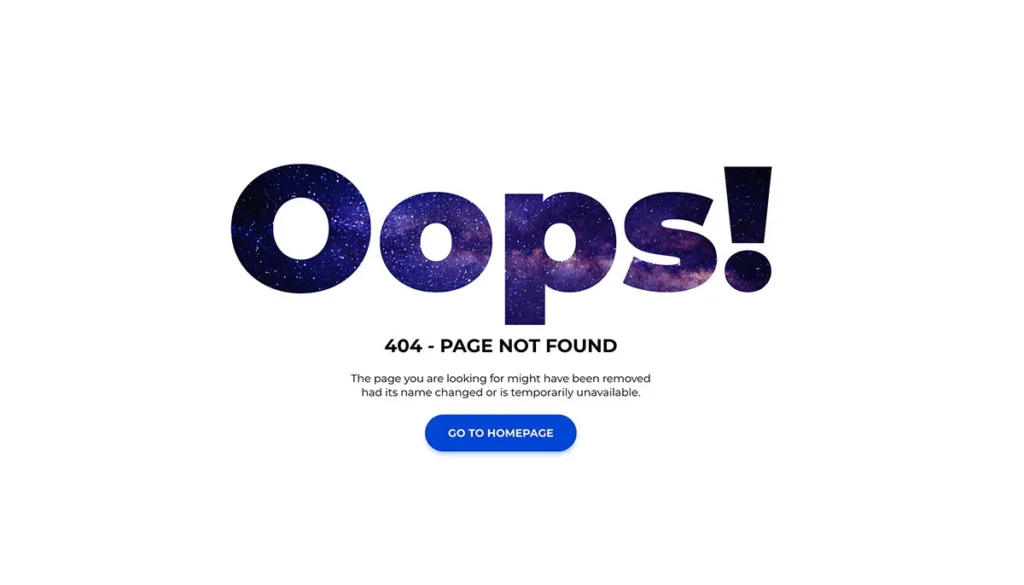
A 404 error occurs when a user tries to access a webpage that cannot be found on the server. This can happen for various reasons, such as the page being deleted, the URL being mistyped, or the page being moved to a different location. When a 404 error is encountered, the user is typically directed to a default “404 Not Found” page.
Why 404 Errors Are Bad
404 errors are bad for small business website owners because they can hurt their users, SEO, and bottom line. Let’s break them down and see why this is the case.
Impact on Users
When a user visits a website and encounters a 404 error, it means that the page they were trying to access does not exist or is no longer available. This can be highly frustrating for users, as it interrupts their experience and makes them feel like the website is unreliable.
For example, if a user is trying to purchase a product from your website but gets a 404 error when clicking on the link, it could result in them never returning to the site and losing out on potential sales.
Why?
When people are in the buying portion of your sales funnel, if they encounter a 404 error page, it can feel like the website is unreliable and unprofessional. This casts doubt on your business which may, in turn, cause them to look elsewhere for what they need.
Want this handled for you? We build and market websites for Louisiana businesses, and we will tell you honestly if you do not need us.
Or what if you’re a local services provider? Let’s say you’re a plumber, and someone has a water leak. If their home is flooding from a busted pipe, they don’t want to spend time searching for a plumber that can help them. If your website has a 404 page, users will likely look elsewhere for the help they need.
Sale = lost.
Impact on SEO
From an SEO perspective, 404 errors can also hurt a small business’s visibility in search engine results pages (SERPs).
Emphasis on can.
There are a lot of experts out there stating that 404s will ruin your rankings and that you should fix them as soon as possible. But 404s are a normal part of the web and can be helpful when used correctly.
Think about it this way: if a specific place didn’t exist, wouldn’t you rather know it than constantly be directed to other random sites? It’s the same on the web.
While it’s a good idea to redirect an old page that’s been deleted to a new, relevant page, it’s not such a good idea to redirect every 404 error to your homepage, for example. Some sites have implemented creative solutions to handle these errors, like redirecting users after a countdown timer which can create a better user experience.
In theory, 404s impact rankings only on individual pages since Google or other search engines do not index them.
Always make sure your pages exist if you want them ranked!
So why all the hype about ’em? Having thousands of 404 pages can certainly impact website performance and SEO overall because broken links containing URLs pointing to non-existent pages can create a bad user experience. If there were no broken links, then there wouldn’t even be any 404 errors at all – in fact, one could say that there is an infinity of 404s; just add a slash after your domain and type something!
Still with me? Let’s keep going.
A 404 means the page was not found; common causes are deleted pages, moved pages, and mistyped URLs.
Impact on Your Bottom Line
404 errors can hurt your bottom line by reducing conversions from organic traffic. If users encounter too many 404 errors on your site, they may become frustrated and leave without taking any action that could lead to a sale or conversion. This could result in lost revenue for your business.
Put yourself in your customers’ shoes. Would you stick around and buy something from a website that didn’t take the time to fix broken links? Probably not.
If people are making a purchase or booking a service online, they expect everything to work correctly and quickly. If your business isn’t meeting their expectations, you’re leaving money on the table.
Your job as a website owner is to make it easy for people to find what they are looking for on your website. If you’re constantly sending people to 404 errors, it won’t be a pleasant experience and will cost you more in the long run.
Prevention Strategies
To make sure that your small business website runs smoothly, it is essential to regularly check for broken links and fix any 404 errors you find as soon as possible. Doing so will help keep your users happy and make sure you get the most out of your organic traffic.
How to Identify 404 Errors on Your Website
There are several ways to identify 404 errors on your website. One way is to check your website’s analytics for any instances of visitors being directed to a 404 page. Using a website crawler or broken link checker can also help identify any broken links on your website that may be causing 404 errors.
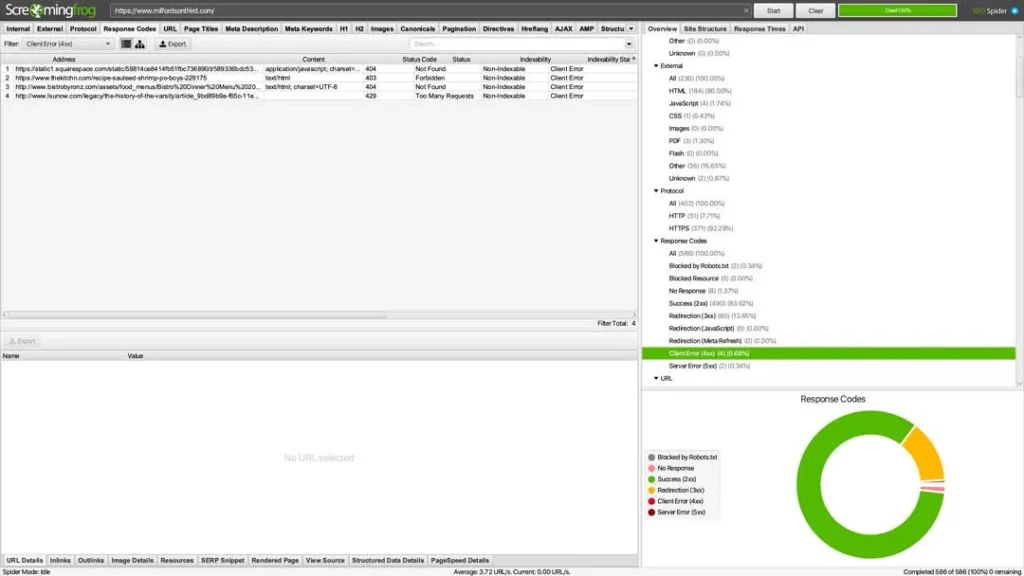
One such tool is Screaming Frog’s SEO Spider tool. We use it so much that it’s the first step in our site audit workflow. Read our article on quick SEO wins to learn why this tool is so important.
Fixing 404 Errors
Once you have identified the 404 errors on your website, there are several steps you can take to fix them.
- Redirecting: One way to fix a 404 error is to redirect the broken link to a different, relevant page on your website. This will make sure that the user can still access the information they were searching for, and it will also prevent the user from encountering a 404 error.
- Recreating the deleted page: If the page was deleted accidentally, you can recreate it and republish it.
- Check for spelling and typing errors: Make sure the URL is typed correctly, with no spelling errors.
- Custom 404 page: You can also create a custom 404 page that includes helpful information, such as links to your homepage, contact information, or a search bar. This can help keep visitors on your website, even if they have encountered a 404 error.
“Clint and BlakSheep created a top quality website, quickly at an incredible value literally putting my little startup project on the map. I can’t thank the team enough!”

Conclusion
404 errors can be frustrating for both website owners and visitors. However, by understanding what 404 errors are and how to fix them, you can make sure that your website runs smoothly and provides a positive experience for your visitors.
At BlakSheep Creative, we understand the importance of having a functional website for small business owners, and we are dedicated to helping you succeed online. If you have any further questions or concerns about 404 errors or any other aspect of your website, please don’t hesitate to contact us.
Frequently Asked Questions
Here are some of the most frequently asked questions about 404 errors:
Does Your Website Have a 404 Problem?
Your website may have a 404 problem, and you may not even know it.
If you’re concerned that you may have a 404 problem, BlakSheep Creative can help. We provide comprehensive website analysis services to identify any potential issues with your website, including 404 errors.
Contact us today to learn more about how we can help!
We hope this article has helped you understand what 404 errors are and how to fix them. If you have any further questions or concerns, please don’t hesitate to contact us. We look forward to hearing from you!
Thinking about a new website, redesign, or rebuild? Talk through the project before you spend a dollar, 15 minutes, no sales pitch.
About the author

Founder & Lead Developer · Denham Springs, LA
Clint has built and marketed websites for 26 years, since founding BlakSheep Creative in 2000. He is also a 29-year firefighter and a 23-year member of IAFF Local 557, which is where the bias toward plain answers over sales copy comes from.
- Veteran-owned
- Firefighter-owned
- IAFF Local 557
Common Questions About 404 Errors
Short answers to the questions that come up most on this topic.
Do 404 errors hurt SEO?
Should I redirect all 404 pages to my homepage?
How do I find 404 errors on my website?
What should a custom 404 page include?
How do I fix a 404 error?

Your next step, without the guesswork
No surprises, clear next steps, and a fixed price before anything starts.