By Clint Sanchez · Published · Updated · 7 min read
Quick answer
Semrush Sensor is a free SEO sensor that scores how much Google's search results moved in the past 24 hours, on a scale of 0 to 10. Semrush re-checks rankings for a fixed keyword set daily and turns the churn into one number. Two to five is a normal day, above five means something is moving, and above eight usually means an algorithm update.
Key takeaways
- The Sensor score measures change, not quality. A reading of 9 means results shuffled hard that day, not that your site was penalized.
- Semrush's four zones are 0 to 2 low, 2 to 5 normal, 5 to 8 high, and 8 to 10 very high.
- Sensor breaks volatility down by category, device and country across nine databases, and the filtered view is far more useful than the headline number.
- Personal Score reads volatility for your own Position Tracking keywords, which is the only version that says anything about your site.
- Google's confirmed core updates in 2025 and 2026 ran roughly twelve to eighteen days, so a one-day spike is a fragment of a much longer event.
- Google tells site owners to wait a full week after a rollout completes before analyzing Search Console, and to compare against the week before it started.
- When three independent trackers spike on the same date you have a real event. When one spikes alone, you have a sampling artifact.
A Baton Rouge contractor watching a national volatility dial is reading the wrong instrument. Filter Sensor to mobile and to your own category, then compare it against your Google Business Profile impressions, because a local pack that grows by one row costs a Livingston Parish service business more traffic than most core updates do.

Want this handled instead of DIY?
A 15-minute call, no script, no pressure. You leave with a plan either way.
Semrush Sensor is a free SEO sensor that scores how much Google's search results moved in the last 24 hours, on a scale of 0 to 10. Semrush re-checks rankings for a fixed keyword set every day and turns the churn into one number. Roughly 2 to 5 is a normal day. Above 5 means something is moving. Above 8 usually means an algorithm update.
What the Semrush Sensor score refers to
The score is a measure of change, not a measure of quality. It answers one question: compared with yesterday, how much did the top results shuffle?
That distinction trips people up constantly. A Sensor reading of 9 does not mean Google is broken, and it does not mean your site was hit. It means that across the keyword set Semrush watches, positions moved far more than they usually do. On the same day, some sites gained and some lost. Semrush describes the tool in its own knowledge base as tracking "volatility of Google's SERPs based on daily changes in rankings" to flag potential algorithm updates.
It is also an industry-level reading by default. The number on the homepage describes the whole sampled market, not your domain. If you want a number about your rankings, that is a different feature, covered further down.
How the Sensor score is calculated
Semrush has not published the formula, and the parts it has published are enough to use the tool honestly.
Semrush tracks the search results for a fixed set of keywords every day, per country, per device and per category. It compares each day's top positions against the previous day, aggregates the size of the movements with a proprietary formula, and normalizes the result onto the 0 to 10 range. A fixed keyword set is the important design choice: because the sample does not change, the number is comparable across days and across months, which is exactly what a volatility index needs.
Two limits follow from that. The sample is Semrush's, not the whole web, so a niche that Semrush samples thinly can be in chaos while the headline number sits at 3. And the score is a daily snapshot, so a slow multi-week rollout can register as a series of unremarkable readings rather than one dramatic spike.
How to read the score: the four volatility zones
Semrush splits the 0 to 10 range into four bands, and the color on the dial follows them.
| Score | Zone | What it usually means | What to do |
|---|---|---|---|
| 0 to 2 | Low | Unusually stable results. Common on major holidays. | Nothing. Stability is not a warning sign. |
| 2 to 5 | Normal | Ordinary daily churn from continuous small updates. | Nothing. This is Google's resting heart rate. |
| 5 to 8 | High | Something broad is moving. Often an unconfirmed update. | Note the date. Do not change anything yet. |
| 8 to 10 | Very high | Major movement, usually a confirmed core or spam update. | Check the Google Search Status Dashboard, then wait. |
The band matters less than the pattern. One high day is noise. Four high days in a row, in your category, on the device your customers use, while your Search Console impressions fall, is a signal. Our guide to how often Google changes its algorithm covers why the baseline is never zero.
Categories, countries, devices and SERP features
The headline number is the least useful view in the tool. The filters are where the work happens.
- Categories. Sensor scores volatility per industry, so you can see that Health moved hard while Home & Garden barely twitched. Read your own vertical before you read the average.
- Databases. Semrush's knowledge base lists nine databases, covering the United States, United Kingdom, Germany, France, Australia and Japan among others, plus Baidu for China.
- Devices. Desktop and mobile are scored separately. They routinely disagree, and mobile is the one that matters for a local service business.
- SERP features. Sensor tracks the presence of more than 30 SERP features across Google's top 20 results and how their frequency shifts day to day. A page can lose clicks without losing a position because a feature moved above it.
That last point is the one worth internalizing. If local packs expand in your category, a plumbing company sitting at position 4 loses traffic while its rank report stays green. Tracking Google Business Profile visibility alongside classic rankings is the only way to see it.
The Sensor score measures change, not quality. A reading of 9 means results shuffled hard that day, not that your site was penalized.
Personal Score, Deviations, and Winners & Losers
Three features turn Sensor from a curiosity into something you can act on.
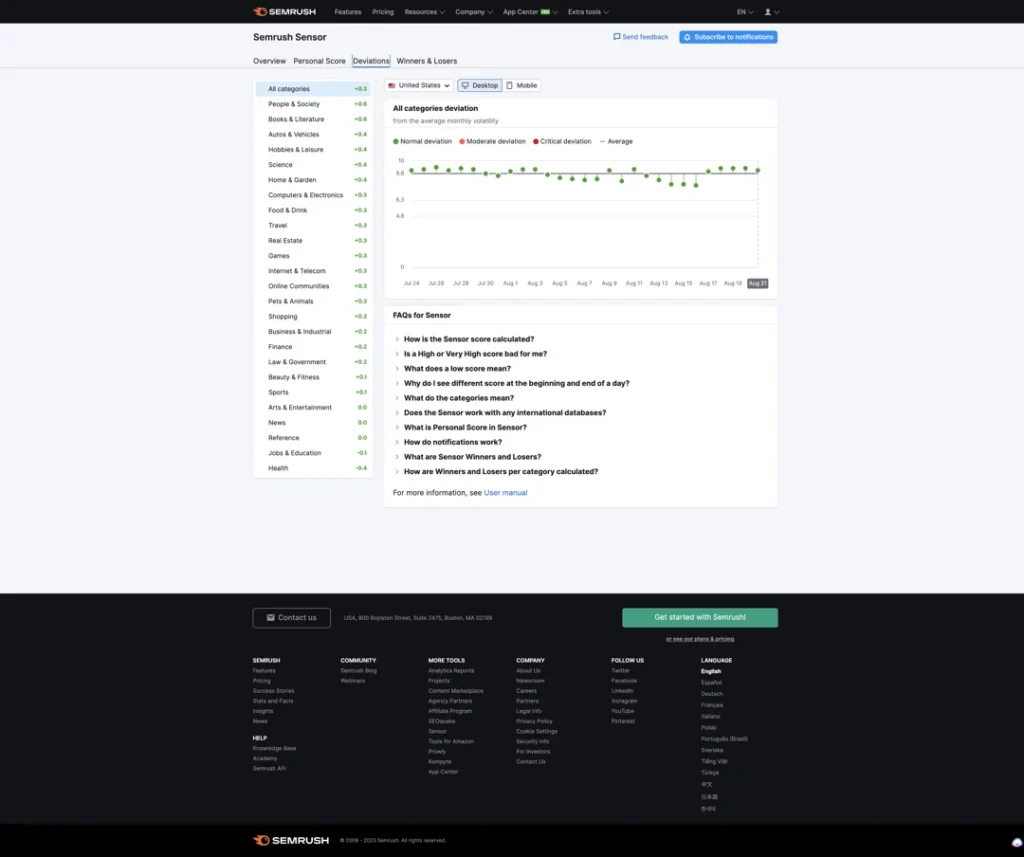
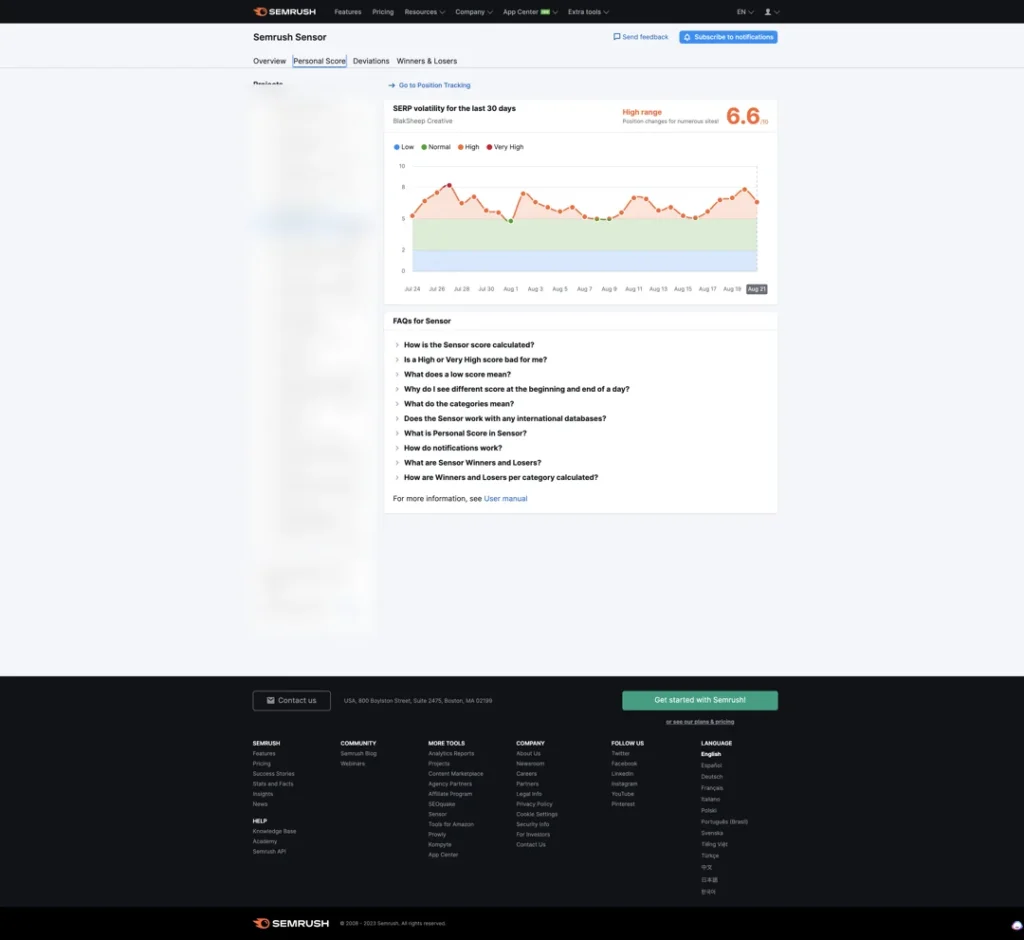
Personal Score connects a Position Tracking campaign and calculates volatility for your own keyword set rather than Semrush's sample. This is the version worth watching. The more keywords in the campaign, the more stable the reading, and a personal score that diverges sharply from the category score is a much stronger signal than either number alone.
Deviations flags days where volatility departed from the normal range, which saves you scrolling a chart looking for bumps.
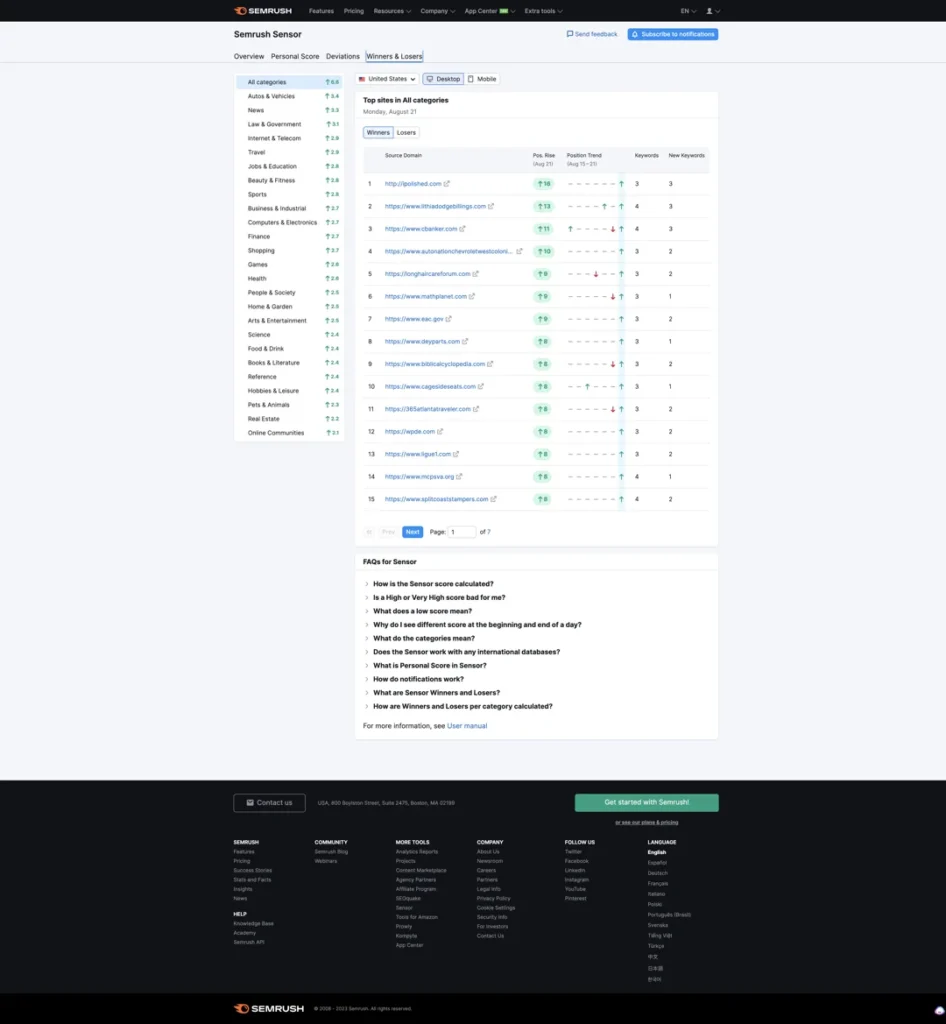
Winners & Losers reports the average movement of URLs within the top 20 for each tracked domain, so you can see which sites gained and which lost on a given day. It is a sample rather than a census of the web, and it is still the fastest way to work out the shape of an update: if every winner in your category is a large publisher, you are looking at a different problem than if every winner is a local business.
Notifications fire when volatility jumps from a lower zone to a higher one. Consecutive high days produce one alert for the initial jump, not one per day, so an empty inbox on day three of an update is expected behavior.
A Sensor spike is one day of a two-week rollout
The single most common mistake with any SEO sensor is reacting to a spike on the day it appears. Google's own confirmed updates take weeks to finish, and the numbers are public.
| Update | Started | Rollout length |
|---|---|---|
| August 2026 spam update | 18 August 2026 | 2 days, 16 hours |
| May 2026 core update | 21 May 2026 | 11 days, 21 hours |
| March 2026 core update | 27 March 2026 | 12 days, 4 hours |
| December 2025 core update | 11 December 2025 | 18 days, 2 hours |
| August 2025 spam update | 26 August 2025 | 26 days, 15 hours |
| June 2025 core update | 30 June 2025 | 16 days, 18 hours |
Every one of those dates and durations comes from the Google Search Status Dashboard, which is the authoritative record of what Google has confirmed. Recent core updates have run roughly twelve to eighteen days. A site can drop on day two and recover by day ten without anybody touching it.
Google's own advice matches that. In its core updates documentation, Google tells site owners to wait at least a full week after a rollout completes before analyzing Search Console, and to compare that week against a week before the update started. Sensor tells you when the clock started. It does not tell you when to act.
Semrush Sensor vs other SEO sensors
Sensor is one of several free volatility trackers, and they disagree with each other regularly because each one samples a different keyword set.
| Tracker | Metric | Best for |
|---|---|---|
| Semrush Sensor | 0 to 10 volatility score | Category, country and device breakdowns, plus your own keyword set |
| MozCast | Weather temperature | A long, familiar historical baseline for U.S. desktop results |
| Algoroo | The "roo" value | Seeing which specific domains gained and lost on a given day |
| Google Search Status Dashboard | Confirmed updates only | Confirming that an update is real and when it ended |
Algoroo, built by DEJAN, describes its own reading plainly on its homepage: a high roo value means high volatility in Google's results, a low one means an ordinary day. The practical rule is agreement. When three independent trackers spike on the same date and Google later confirms an update, you have a real event. When only one spikes, you have a sampling artifact.
What to do on a high-volatility day
Volatility is information, not an instruction. The useful response is boring and mostly consists of waiting on purpose.
- Write down the date. Annotate it in your analytics and your rank tracker. Six weeks from now, the annotation is what tells you which drop belongs to which event.
- Check that it is actually you. Compare your Personal Score and your Search Console impressions against the category score. Market-wide movement with a flat site is not your problem.
- Confirm the update. Check the Search Status Dashboard for a named update and an end date before you decide anything.
- Wait for the rollout to finish, then a week more. That is Google's own instruction, and it exists because mid-rollout data is unreliable.
- Then audit, not before. Look at which pages and which query types lost, and assess them against Google's quality guidance. Our notes on demonstrating experience, expertise, authority and trust and on recovering from a core update are the right starting points.
- Fix the boring things while you wait. Broken internal links, thin duplicates, and orphaned pages nothing links to cost you rankings on calm days too.
If your rankings moved and you cannot tell if the cause was Google or something on your own site, that is a diagnosable question rather than a guess. A free SEO audit is the fastest way to separate the two, and our search work starts from the same data.
About the author

Co-Founder & Lead Developer · Denham Springs, LA
Clint has been designing for clients since 2008 and co-founded BlakSheep Creative in 2018. He is also a 29-year firefighter and a 23-year member of IAFF Local 557, which is where the bias toward plain answers over sales copy comes from.
- Veteran-owned
- Firefighter-owned
- IAFF Local 557
Common Questions About the Semrush Sensor
Short answers to the questions that come up most on this topic.
What does the Semrush Sensor score refer to?
What is a normal Semrush Sensor score?
Is Semrush Sensor free?
Does a high Sensor score mean my rankings dropped?
How is Semrush Sensor different from MozCast?
What should I do when Sensor spikes?

Your next step, without the guesswork
No surprises, clear next steps, and a fixed price before anything starts.