
By Clint Sanchez · Published · Updated · 4 min read
Quick answer
A website conversion is a visitor completing a desired action, such as a purchase, a newsletter signup, or a contact form submission. Tracking conversions shows which marketing channels, like PPC or email, produce sales or leads, and where visitors drop off on the site. In Google Analytics 4, conversions are tracked as events flagged as key events, and that data guides tests, simpler forms, better copy, and design fixes.
Key takeaways
- A conversion is any desired action a visitor completes: a purchase, a newsletter signup, a download, or a contact form submission.
- Conversion data shows which channels, PPC, email, or organic search, actually produce leads so budget can follow results.
- Google Analytics tracks conversions through goals, which measure objectives, and events, which measure interactions like button clicks or video views.
- Many add-to-cart clicks with few completed purchases point to cart abandonment and a checkout problem.
- Shorter, simpler forms get filled out more often than long ones.
- After every change to headlines, buttons, copy, or design, keep tracking to confirm the conversion rate moved in the right direction.
Most Baton Rouge service businesses count leads by how often the phone rings, which hides where the call came from. A conversion goal on the click-to-call button and the contact form tells a Denham Springs plumber or roofer if a lead came from Google search, a Facebook ad, or a referral, and that is the only way to know which spend to keep when the slow season hits.
If you’re running a website, tracking how well your efforts are converting into sales or other desired outcomes is important. This blog post will discuss some methods of tracking conversions and how to use that data to improve your website.
So let’s get right to it, shall we?
1. What are website conversions, and why track them?
Conversions are when a website visitor takes a desired action on your site, such as making a purchase, signing up for a newsletter, or filling out a contact form. In Google Analytics 4, every one of these actions is recorded as an event, and you mark the ones that matter as key events (Google renamed conversions to key events in 2024) so you can see how often they’re completed.
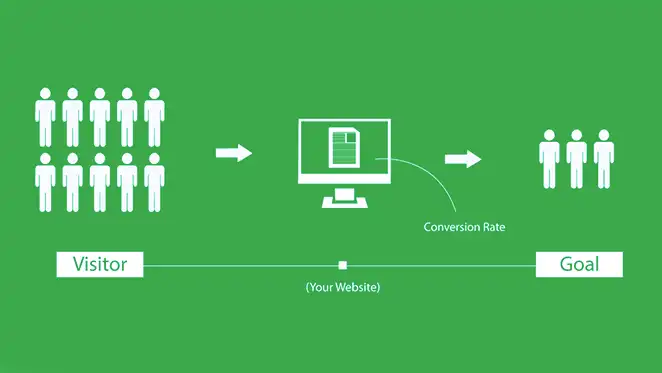
There are two main reasons why you should track conversions on your website:
Want this handled for you? We build and market websites for Louisiana businesses, and we will tell you honestly if you do not need us.
To see which marketing efforts are resulting in the most sales or leads
Are your PPC ads paying off? Or are your email marketing efforts driving more conversions? By tracking conversions, you can see which marketing channels are performing the best and adjust your budget accordingly.
To identify areas of your website that need improvement
If you’re not getting as many conversions as you’d like, it’s time to take a closer look at your website. Is the checkout process too complicated?
By tracking conversions, you can see where visitors are dropping off and make changes to improve your website’s performance.
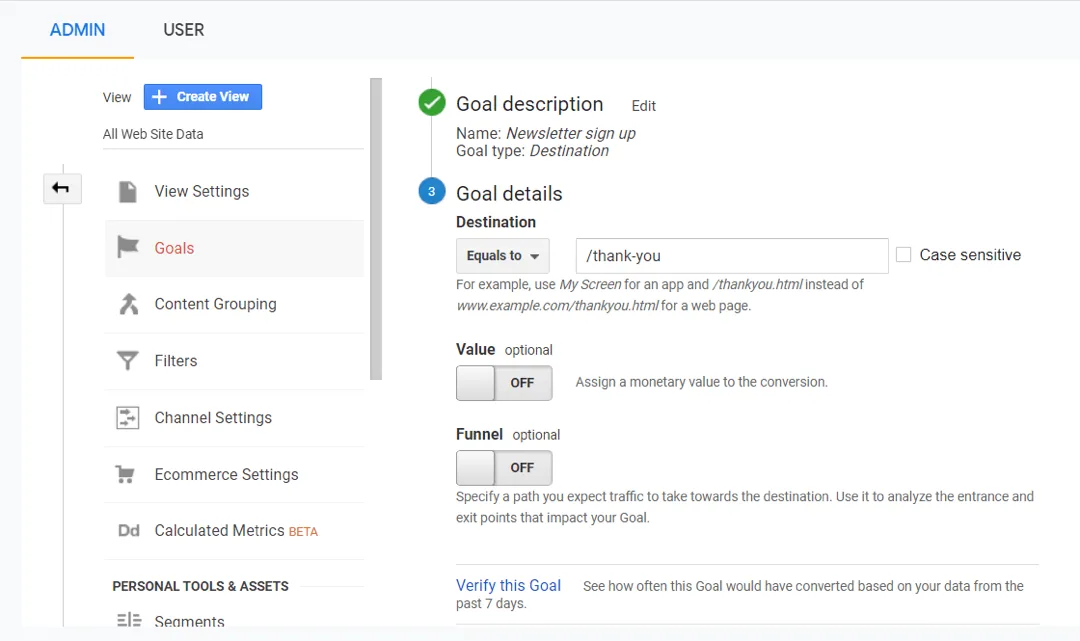
2. How to track conversions in Google Analytics
There are two layers to tracking conversions in Google Analytics: events, and the events you flag as key events.
Both are worth tracking, but they answer different questions. Every event tells you what visitors did; a key event tells you how often they did the thing that makes you money.
Key events (the old “goals”)
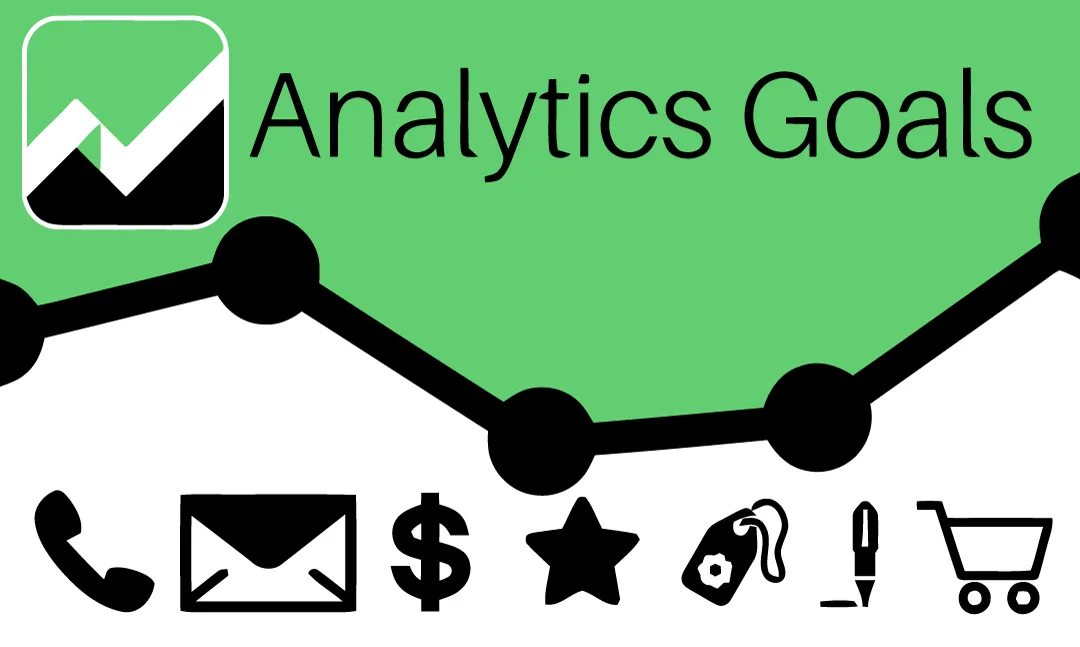
Key events measure how well your website meets specific objectives, such as making a purchase or signing up for a newsletter. Universal Analytics called these goals; in Google Analytics 4 you pick an existing event and toggle it on as a key event.
Here are some examples of key events:
- Contact form submissions
- Newsletter signups
- Ebook downloads
- Product purchases
Events
Events measure specific user interactions on your website, such as clicking on a button or watching a video.
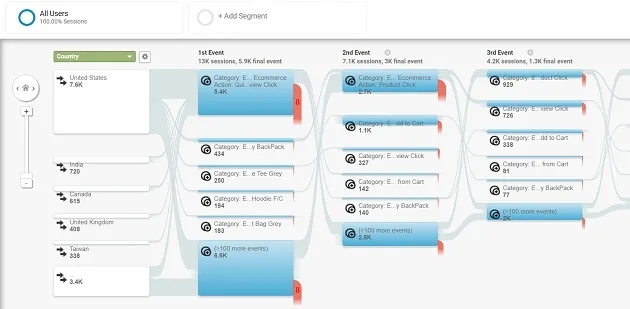
Here are some examples of events:
- Video views
- Button clicks
- Dynamic content loading when a user scrolls
For example, seeing many users clicking on the “add to cart” button but not completing the purchase indicates a problem with your checkout process.
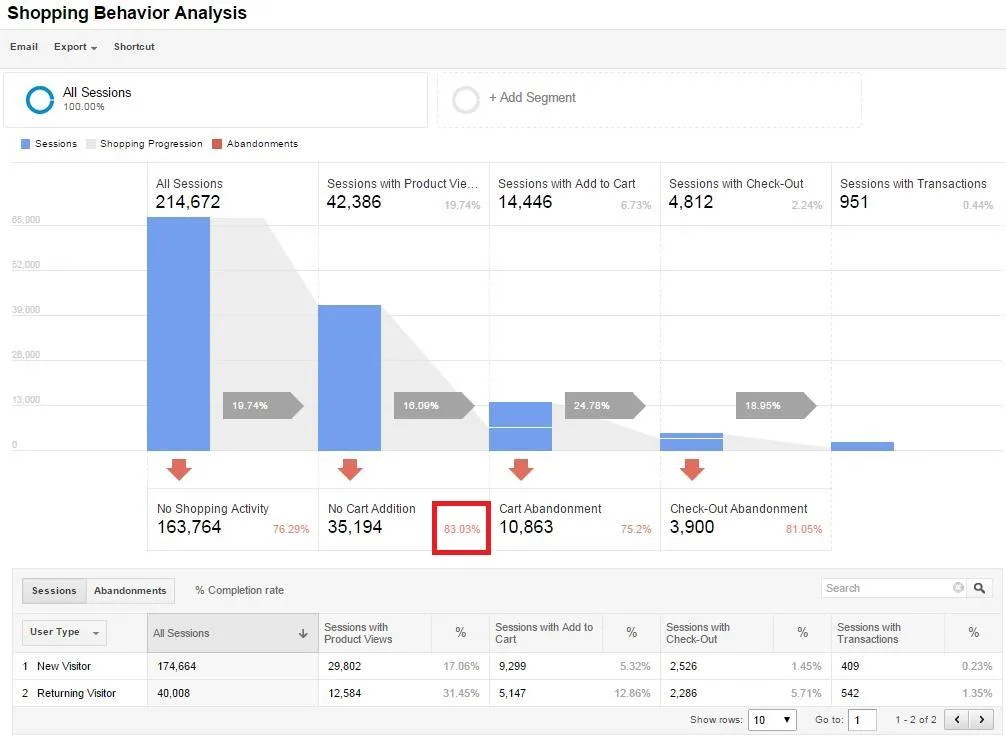
This is called cart abandonment, and it’s a significant issue for eCommerce business websites. By tracking events, you can identify problems like this and take steps to fix them.
If you’re interested in learning more about how to track conversions in Google Analytics, read Google’s own documentation on key events.
Or, if you’d like help, we can set up conversion tracking for you. Just visit our contact page, and we’ll be in touch.
3. How to use conversion data to improve your website
Now that you know how to track conversions, it’s time to put that data to use. Here are some ways you can use conversion data to improve your website:
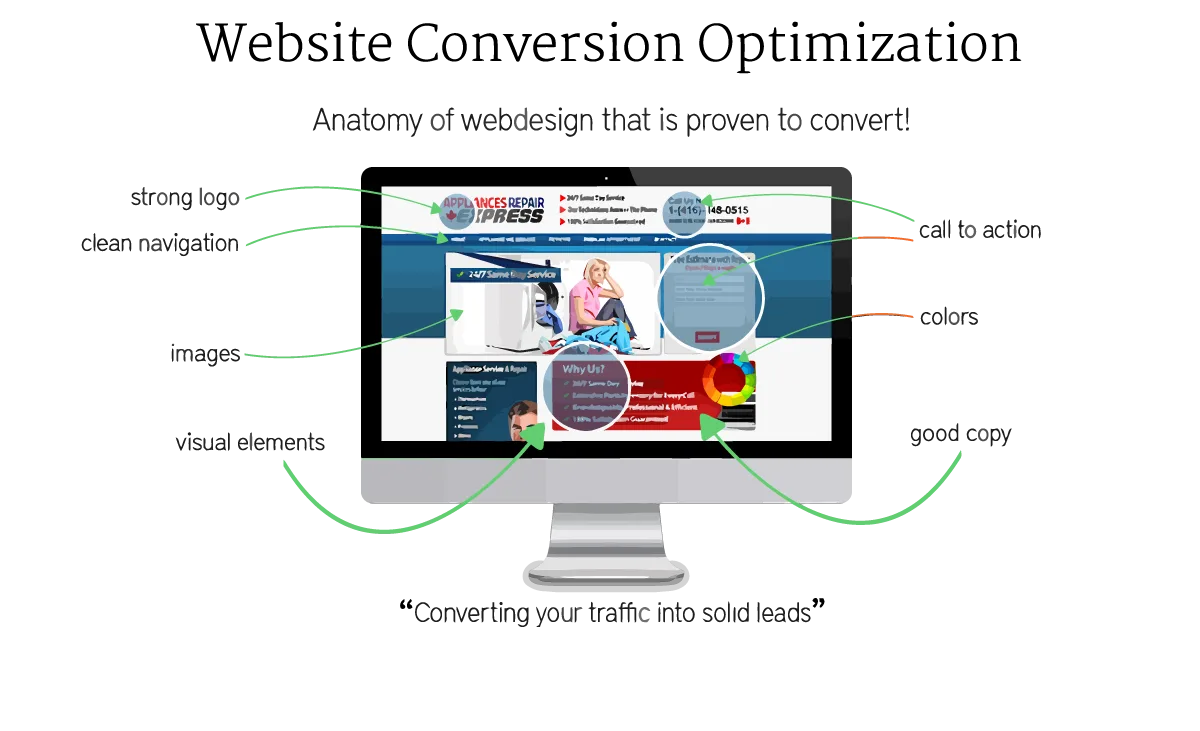
Test your website elements
If you’re not getting the conversions you want, it’s time to start testing. Try changing your headline, adding a video, or changing the color of your call-to-action button.
Simplify your forms
If you’re tracking contact form submissions as a goal, look at your form and see if there’s anything you can simplify. The shorter and simpler your form, the more likely people are to fill it out.
Improve your copy
If you’re not getting the conversions you want, it’s time to take a closer look at your copy. Is it clear? Concise? Compelling? If not, make some changes and see if that impacts your conversion rate.
Evaluate your overall design
If you’re unhappy with your conversion rate, it might be time to take a step back and evaluate your website’s design. Is it easy to use? Does it look professional? If not, consider making some changes to improve your website’s design.
Track your progress
Once you make changes to your website, it’s essential to track your progress. Are the changes you made having a positive impact on your conversion rate? If not, it might be time to try something else.
4. Conclusion
If you’re not tracking conversions on your website, you may be spinning your wheels and not getting the desired results.
By tracking conversions, you can see where visitors are dropping off and make changes to improve your website’s performance.
If you need help setting up conversion tracking or improving your website, we’re here for you. Just visit our services page to learn how we can help.
We can help you:
- Set up key events in Google Analytics 4
- Improve your website’s design
- Test website elements
- Simplify forms
- Write compelling copy
And more!
Just shoot us an email at info@blaksheepcreative.com or give us a call at 225-505-3834, and we’ll be happy to chat.
Thinking about a new website, redesign, or rebuild? Talk through the project before you spend a dollar, 15 minutes, no sales pitch.
About the author

Founder & Lead Developer · Denham Springs, LA
Clint has built and marketed websites for 26 years, since founding BlakSheep Creative in 2000. He is also a 29-year firefighter and a 23-year member of IAFF Local 557, which is where the bias toward plain answers over sales copy comes from.
- Veteran-owned
- Firefighter-owned
- IAFF Local 557
Common questions about web design & development
What is the difference between a key event and an event in Google Analytics 4?
What is cart abandonment, and how does tracking reveal it?
Which conversions should a small business track first?
How do I use conversion data to improve my website?
What if my conversion rate does not improve after changes?

Your next step, without the guesswork
No surprises, clear next steps, and a fixed price before anything starts.